4K Smart Mini Projector: Auto Focus, WiFi, Big Screen
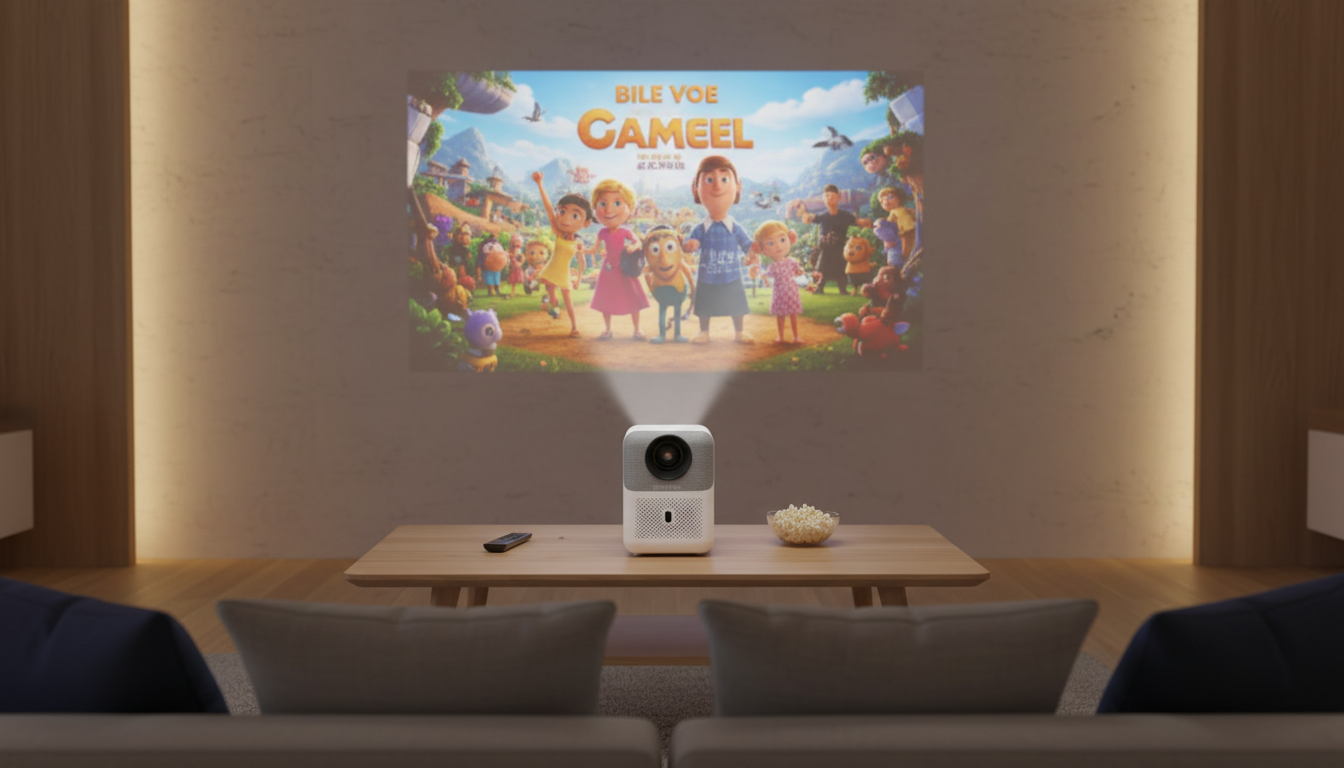
4K Smart Mini Projector with Auto Focus, WiFi & Home Theater Display
A compact smart projector can turn a blank wall into a big-screen viewing space without the complexity of a full TV install. The 4K Smart Mini Projector with Auto Focus, WiFi & Home Theater Display pairs quick refocusing and wireless connectivity to make movie nights, casual gaming, and presentations easier to set up and simpler to enjoy—whether it lives on a shelf, travels to the backyard, or moves room to room.
What makes a smart mini projector feel effortless
The difference between “neat gadget” and “daily-use favorite” usually comes down to how smoothly it handles the small, constant changes of real life—like shifting it a few inches, rotating it toward a wall, or bringing it to a friend’s place.
- Auto focus helps keep the image sharp after moving the projector or changing distance, reducing the need to manually tweak focus every time.
- WiFi connectivity supports wireless streaming and screen casting when compatible devices and apps are used, cutting down cable clutter for casual viewing.
- Compact size makes it easier to store, travel with, or move between rooms without dedicating permanent furniture space.
- Home-theater feel comes from pairing a larger image with sensible placement and a darker environment to boost perceived contrast.
Core features to look for day one
Mini projectors can be feature-packed, but a few practical details matter most in daily use—especially if the projector gets repositioned often.
- Auto focus behavior: how quickly it locks after power-on and after minor bumps or repositioning.
- Keystone and alignment controls: helpful when the projector can’t be perfectly centered; less correction generally preserves more detail.
- Resolution support: “4K” on many mini projectors refers to supported input; the best-looking result depends on how content is processed and your viewing distance.
- Brightness vs. room lighting: darker rooms dramatically improve perceived contrast and color depth.
- Fan noise and heat management: important for quiet dialogue scenes and close seating in smaller rooms.
- Controls: a responsive remote and accessible on-device settings make switching inputs, adjusting picture, and re-running focus much smoother.
Placement and setup for a clean, rectangular picture
A great projector image is mostly about geometry: stable placement, centered alignment, and minimal correction. Start with the simplest setup first, then refine.
- Choose a stable surface or mount; vibrations can affect focus and alignment.
- Place the projector as centered as possible to reduce reliance on keystone correction.
- Start with a smaller image size, then increase until sharpness and brightness balance well for the room.
- Use a matte white wall or a projector screen for more uniform brightness and better perceived contrast.
- If using WiFi casting, keep the projector and source device on the same network for best stability.
| Step | Goal | Tip |
|---|---|---|
| Position | Centered image | Aim for lens-level with the screen center when possible |
| Focus | Sharp text and edges | Run auto focus after final placement; re-run after moving |
| Keystone | Straight borders | Use minimal correction to preserve detail |
| Lighting | Better contrast | Dim lights and reduce window glare |
| Audio | Clear dialogue | If using external speakers, connect before final cable routing |
Wireless streaming and screen casting without frustration
Wireless viewing is convenient, but stability depends on your network environment and how demanding the content is. When it’s dialed in, it’s an easy way to share clips, photos, and streaming apps in a larger format.
- Confirm the router band (2.4 GHz vs 5 GHz) supported by the projector and use the most stable option available.
- For casting, keep source devices updated and close background apps that may interrupt streaming.
- If video stutters, reduce stream resolution or switch to a wired HDMI connection for demanding content.
- For shared spaces, consider a dedicated guest network to keep casting simple and secure.
For deeper background on standards and connectivity, the Wi-Fi Alliance and HDMI Licensing Administrator offer helpful overviews.
Home theater picture tips for movies, sports, and gaming
A mini projector can feel surprisingly cinematic with a few quick tweaks to match what you’re watching.
For practical setup guidance and screen/throw basics, ProjectorCentral is a widely used resource.
Everyday use cases
Make the room feel “ready” for big-screen nights
- Set a cohesive table for groups with the 16 Piece Blue Stoneware Dinner Set – Elegant Floral Embossed Plates & Bowls for movie-night snacks, casual dinners, or game-day spreads.
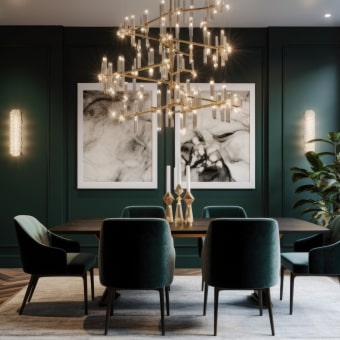
- If the room lighting feels harsh, use a quick planning reference like the How to Choose Chandelier by Height and Scale Checklist | Chandelier Sizing Guide | Lighting Design Tips | Digital Download to help create a softer, more balanced look without over-brightening the viewing area.
Care, maintenance, and troubleshooting
At-a-glance product details
| Item | Detail |
|---|---|
| Name | 4K Smart Mini Projector with Auto Focus, WiFi & Home Theater Display |
| Price | 198.82 USD |
| Availability | In stock |
| Typical add-ons | HDMI cable, basic projector screen, external speaker or soundbar for bigger sound |
FAQ
Does auto focus work every time the projector is moved?
Auto focus typically recalibrates after repositioning, but extreme angles, heavy keystone correction, or a textured wall can make results less consistent. For the best sharpness, place the projector as centered as possible and re-run auto focus after final placement.
Is WiFi streaming as reliable as HDMI?
WiFi is convenient, but reliability depends on network strength and interference from other devices. HDMI is usually more stable for high-bitrate video and gaming; if WiFi stutters, try 5 GHz (if supported), move closer to the router, or switch to HDMI.
Can a projector replace a TV in a bright room?
Projectors generally look best in dimmer environments, where contrast and color depth are easier to see. In brighter rooms, curtains, a smaller image size, and a proper screen can help improve perceived contrast.











Leave a comment