75% Magnetic Wireless Keyboard: Rapid Trigger & 8K
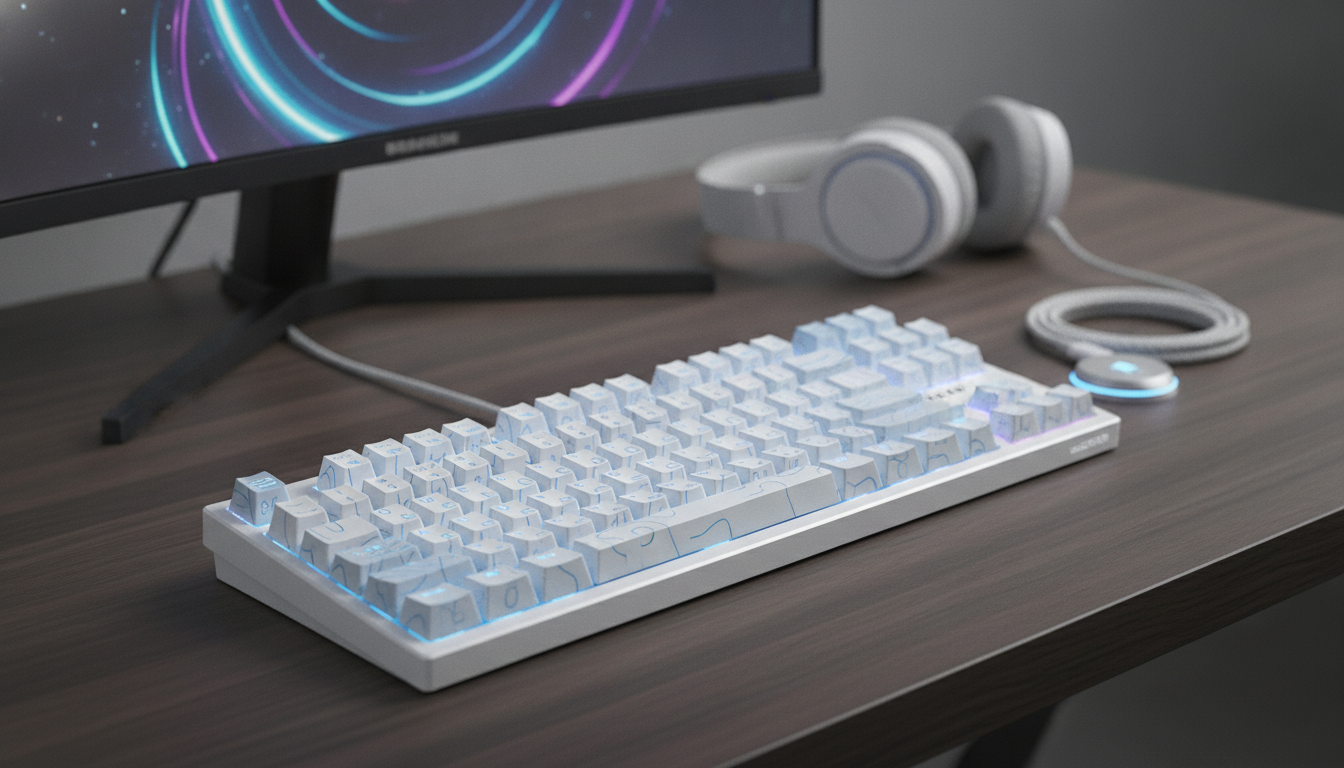
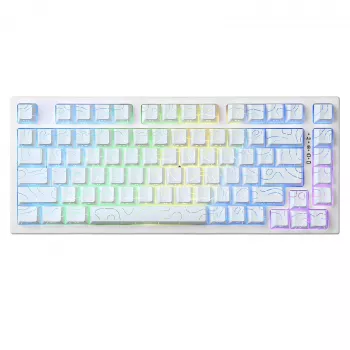
75% Magnetic Wireless Gaming Keyboard with Rapid Trigger & 8K Polling
A 75% magnetic-switch keyboard blends compact desk efficiency with fast, controllable actuation. With rapid trigger behavior and high polling, it’s built for players who want cleaner counter-strafes, quicker resets, and consistent input timing across wired and wireless setups. If you’re trying to tighten movement, reduce “sticky” key resets, or simply want a compact layout that still keeps a function row and arrows, this style of board is designed around tuning and repeatable performance.
What makes a magnetic-switch gaming keyboard different
Magnetic (often called Hall-effect) switches detect key travel through magnetic sensing rather than relying on a metal contact closing. That one change unlocks a few practical advantages that show up both in games and everyday typing.
- Magnetic sensing enables more precise detection of key travel than a traditional metal-contact mechanism.
- Actuation can be configured around travel distance instead of a fixed mechanical point, which supports fine tuning across different games and typing habits.
- Long-term consistency can feel smoother because there’s no leaf contact bounce to manage in the same way as contact-based switches.
Rapid trigger: why it changes movement and strafing
Rapid trigger behavior is a big reason players look at magnetic boards. Instead of waiting for a fixed reset point, rapid trigger prioritizes where the key is right now—so when your finger reverses direction, the key can reset and re-actuate faster.
- Rapid trigger can deliver quicker reset and re-actuation when your key travel reverses direction.
- It helps with repeated taps and micro-corrections (think stop-start movement) where a normal fixed reset point can feel slow or inconsistent.
- Better results often come from tuning movement keys differently than utility keys (for example, WASD versus reload or interact).
- Stable keycap seating can reduce accidental partial presses when resting fingers on movement keys, especially at very short actuation distances.
In practice, this is where “cleaner counter-strafes” come from: you’re less likely to feel like a key is still “lingering” in a pressed state when you’re trying to stop, adjust, and fire.
8K polling explained in practical terms
Polling rate is how often your keyboard reports its state to the PC. Higher polling can reduce input report latency in supported modes, but the real-world benefit depends on the entire chain: keyboard firmware, connection mode (wired vs. wireless), the USB stack, and how the game processes inputs.
- Some systems require enabling a high-polling mode in firmware/software; if stability issues show up, stepping down one level is a reasonable troubleshooting move.
- High polling can increase power consumption, which is more noticeable when you’re on wireless.
Feature checklist for a 75% magnetic wireless gaming keyboard
| Feature | Why it matters | What to look for in settings |
|---|---|---|
| Rapid trigger behavior | Faster reset and repeated inputs for movement and rhythm-like taps | Per-key tuning, separate press/release thresholds, quick profile switching |
| High polling mode | Potentially lower report latency and tighter timing consistency | Stable operation on the target PC, selectable polling levels |
| Wireless mode options | Convenience without giving up responsiveness | Low-latency dongle mode, Bluetooth for travel, easy mode toggle |
| Actuation customization | Adaptation for FPS movement vs. typing comfort | Adjustable actuation distance, per-key configuration |
| 75% layout | Compact footprint while retaining function row and arrows | Comfortable arrow cluster, accessible navigation keys, clear layers |
Wireless, wired, and real setup choices
Connection mode matters just as much as switch tech when you’re chasing consistency.
- Wired is the simplest route to maximum stability and consistent high polling, especially for competitive play.
- 2.4 GHz wireless (dongle) is typically the best balance for gaming when low latency is the priority.
- Bluetooth is great for portability and multi-device use, but is usually better for casual play and productivity due to more variable latency.
- If you use a USB hub, a reliable powered hub (or a direct PC port) helps prevent intermittent drops at high polling settings.
For the most consistent feel, match the mode to the moment: wired for tournaments and ranked sessions, 2.4 GHz for daily gaming convenience, and Bluetooth when the keyboard is traveling between devices.
Dialing in actuation for different games
The biggest advantage of magnetic switches is that you can tailor actuation and rapid trigger behavior to what you’re doing rather than trying to “adapt” to a fixed switch.
Comfort, sound, and build details that matter day to day
Quick start: first-hour setup checklist
Shop in-stock picks
- 75% Magnetic Wireless Gaming Keyboard with Rapid Trigger & 8K Polling
- 12-Ton Heavy Duty Hydraulic Shop Press for Garage and Workshop
- 16 Piece Blue Stoneware Dinner Set – Elegant Floral Embossed Plates & Bowls
Technical references (HID fundamentals)
For readers who want the underlying context of how keyboards report input to operating systems, see the official USB Human Interface Device (HID) Class Specification and Microsoft’s overview of Human Interface Devices (HID).
FAQ
Does 8K polling work in wireless mode?
It depends on the keyboard’s wireless implementation and firmware. Wired mode is typically the most reliable for the highest polling, while some 2.4 GHz dongle modes may support high polling; Bluetooth usually does not.
Is rapid trigger good for typing?
It can feel overly sensitive for typing and may increase accidental repeats for some users. A separate typing profile with more moderate actuation and less aggressive reset behavior usually feels more controlled.
What’s the benefit of magnetic switches compared with standard mechanical switches?
Magnetic switches detect travel distance rather than relying on a fixed contact point, which enables adjustable actuation and features like rapid trigger. That travel-based detection can also help maintain consistent behavior over time compared with contact-based designs.













Leave a comment